Mockup browser
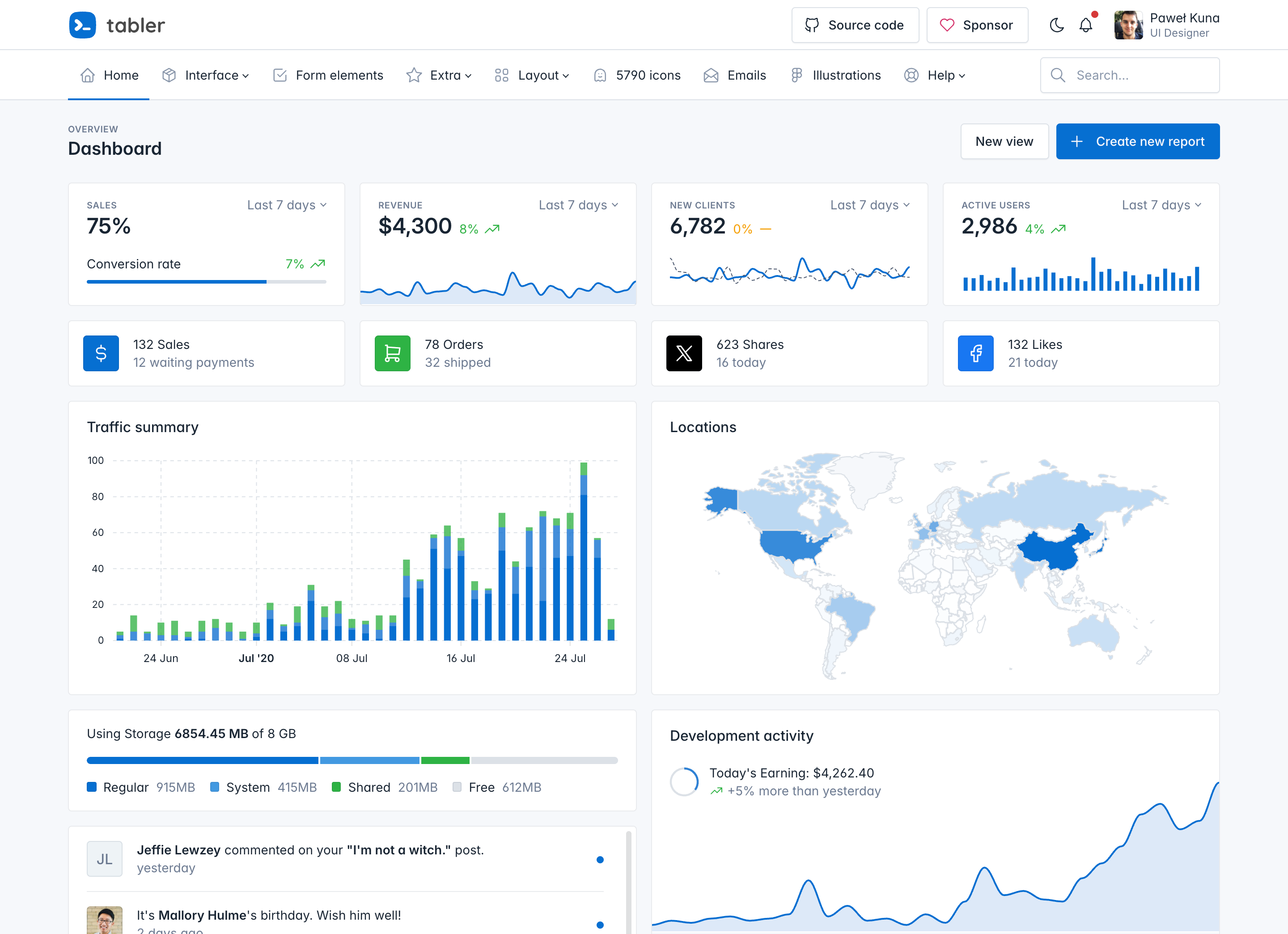
A mockup browser is a frame that looks like a browser window, with the window dots and an address bar, to show a page preview or a screenshot.
Default markup
A .mockup-browser has a .mockup-browser-toolbar with the window dots and an address bar, and a .mockup-browser-body with the page. An image in the body fills the width of the frame.
<div class="mockup-browser">
  <div class="mockup-browser-toolbar">
    <span class="mockup-browser-controls"></span>
    <div class="mockup-browser-url">
      <span>preview.tabler.io</span>
    </div>
  </div>
  <div class="mockup-browser-body">
    <img src="/static/tabler-preview.png" srcset="/static/tabler-preview.png 1x, /static/[email protected] 2x" class="hide-theme-dark" alt="Tabler dashboard" />
    <img src="/static/tabler-preview-dark.png" srcset="/static/tabler-preview-dark.png 1x, /static/[email protected] 2x" class="hide-theme-light" alt="Tabler dashboard" />
  </div>
</div>
Secure address
Put an icon before the address text to show a secure page. The icon is scaled down to match the text.
<div class="mockup-browser">
  <div class="mockup-browser-toolbar">
    <span class="mockup-browser-controls"></span>
    <div class="mockup-browser-url">
      <!-- Download SVG icon from http://tabler.io/icons/icon/lock -->
      <svg xmlns="http://www.w3.org/2000/svg" width="24" height="24" viewBox="0 0 24 24" fill="none" stroke="currentColor" stroke-width="2" stroke-linecap="round" stroke-linejoin="round" aria-hidden="true" focusable="false" class="icon">
        <path d="M5 13a2 2 0 0 1 2 -2h10a2 2 0 0 1 2 2v6a2 2 0 0 1 -2 2h-10a2 2 0 0 1 -2 -2v-6" />
        <path d="M11 16a1 1 0 1 0 2 0a1 1 0 0 0 -2 0" />
        <path d="M8 11v-4a4 4 0 1 1 8 0v4" />
      </svg>
      <span>
        <a href="https://preview.tabler.io">https://preview.tabler.io</a>
      </span>
    </div>
  </div>
  <div class="mockup-browser-body">
    <img src="/static/tabler-preview.png" srcset="/static/tabler-preview.png 1x, /static/[email protected] 2x" class="hide-theme-dark" alt="Tabler dashboard" />
    <img src="/static/tabler-preview-dark.png" srcset="/static/tabler-preview-dark.png 1x, /static/[email protected] 2x" class="hide-theme-light" alt="Tabler dashboard" />
  </div>
</div>
Without an address bar
Leave out .mockup-browser-url for a plain window frame with only the dots.
<div class="mockup-browser">
  <div class="mockup-browser-toolbar">
    <span class="mockup-browser-controls"></span>
  </div>
  <div class="mockup-browser-body">
    <img src="/static/tabler-preview.png" srcset="/static/tabler-preview.png 1x, /static/[email protected] 2x" class="hide-theme-dark" alt="Tabler dashboard" />
    <img src="/static/tabler-preview-dark.png" srcset="/static/tabler-preview-dark.png 1x, /static/[email protected] 2x" class="hide-theme-light" alt="Tabler dashboard" />
  </div>
</div>
Sizes
Add .mockup-browser-sm for a 24px toolbar with smaller dots and text. Use it for thumbnails and for frames inside cards.
<div class="row g-3 align-items-start">
  <div class="col-md-7">
    <div class="mockup-browser">
      <div class="mockup-browser-toolbar">
        <span class="mockup-browser-controls"></span>
        <div class="mockup-browser-url">
          <!-- Download SVG icon from http://tabler.io/icons/icon/lock -->
          <svg xmlns="http://www.w3.org/2000/svg" width="24" height="24" viewBox="0 0 24 24" fill="none" stroke="currentColor" stroke-width="2" stroke-linecap="round" stroke-linejoin="round" aria-hidden="true" focusable="false" class="icon">
            <path d="M5 13a2 2 0 0 1 2 -2h10a2 2 0 0 1 2 2v6a2 2 0 0 1 -2 2h-10a2 2 0 0 1 -2 -2v-6" />
            <path d="M11 16a1 1 0 1 0 2 0a1 1 0 0 0 -2 0" />
            <path d="M8 11v-4a4 4 0 1 1 8 0v4" />
          </svg>
          <span>preview.tabler.io</span>
        </div>
      </div>
      <div class="mockup-browser-body">
        <img src="/static/tabler-preview.png" srcset="/static/tabler-preview.png 1x, /static/[email protected] 2x" class="hide-theme-dark" alt="Tabler dashboard" />
        <img src="/static/tabler-preview-dark.png" srcset="/static/tabler-preview-dark.png 1x, /static/[email protected] 2x" class="hide-theme-light" alt="Tabler dashboard" />
      </div>
    </div>
  </div>
  <div class="col-md-5">
    <div class="mockup-browser mockup-browser-sm">
      <div class="mockup-browser-toolbar">
        <span class="mockup-browser-controls"></span>
        <div class="mockup-browser-url">
          <!-- Download SVG icon from http://tabler.io/icons/icon/lock -->
          <svg xmlns="http://www.w3.org/2000/svg" width="24" height="24" viewBox="0 0 24 24" fill="none" stroke="currentColor" stroke-width="2" stroke-linecap="round" stroke-linejoin="round" aria-hidden="true" focusable="false" class="icon">
            <path d="M5 13a2 2 0 0 1 2 -2h10a2 2 0 0 1 2 2v6a2 2 0 0 1 -2 2h-10a2 2 0 0 1 -2 -2v-6" />
            <path d="M11 16a1 1 0 1 0 2 0a1 1 0 0 0 -2 0" />
            <path d="M8 11v-4a4 4 0 1 1 8 0v4" />
          </svg>
          <span>preview.tabler.io</span>
        </div>
      </div>
      <div class="mockup-browser-body">
        <img src="/static/tabler-preview.png" srcset="/static/tabler-preview.png 1x, /static/[email protected] 2x" class="hide-theme-dark" alt="Tabler dashboard" />
        <img src="/static/tabler-preview-dark.png" srcset="/static/tabler-preview-dark.png 1x, /static/[email protected] 2x" class="hide-theme-light" alt="Tabler dashboard" />
      </div>
    </div>
  </div>
</div>
Any content
The body takes any markup, not only an image. Add a padding utility to the body when the content needs space from the frame.
Create an account
<div class="mockup-browser">
  <div class="mockup-browser-toolbar">
    <span class="mockup-browser-controls"></span>
    <div class="mockup-browser-url">
      <!-- Download SVG icon from http://tabler.io/icons/icon/lock -->
      <svg xmlns="http://www.w3.org/2000/svg" width="24" height="24" viewBox="0 0 24 24" fill="none" stroke="currentColor" stroke-width="2" stroke-linecap="round" stroke-linejoin="round" aria-hidden="true" focusable="false" class="icon">
        <path d="M5 13a2 2 0 0 1 2 -2h10a2 2 0 0 1 2 2v6a2 2 0 0 1 -2 2h-10a2 2 0 0 1 -2 -2v-6" />
        <path d="M11 16a1 1 0 1 0 2 0a1 1 0 0 0 -2 0" />
        <path d="M8 11v-4a4 4 0 1 1 8 0v4" />
      </svg>
      <span>example.com/signup</span>
    </div>
  </div>
  <div class="mockup-browser-body p-4">
    <h3 class="card-title">Create an account</h3>
    <div class="mb-3">
      <label class="form-label" for="mockup-browser-email">Email</label>
      <input type="email" class="form-control" id="mockup-browser-email" placeholder="[email protected]" />
    </div>
    <button type="button" class="btn btn-primary w-100">Sign up</button>
  </div>
</div>
Custom look
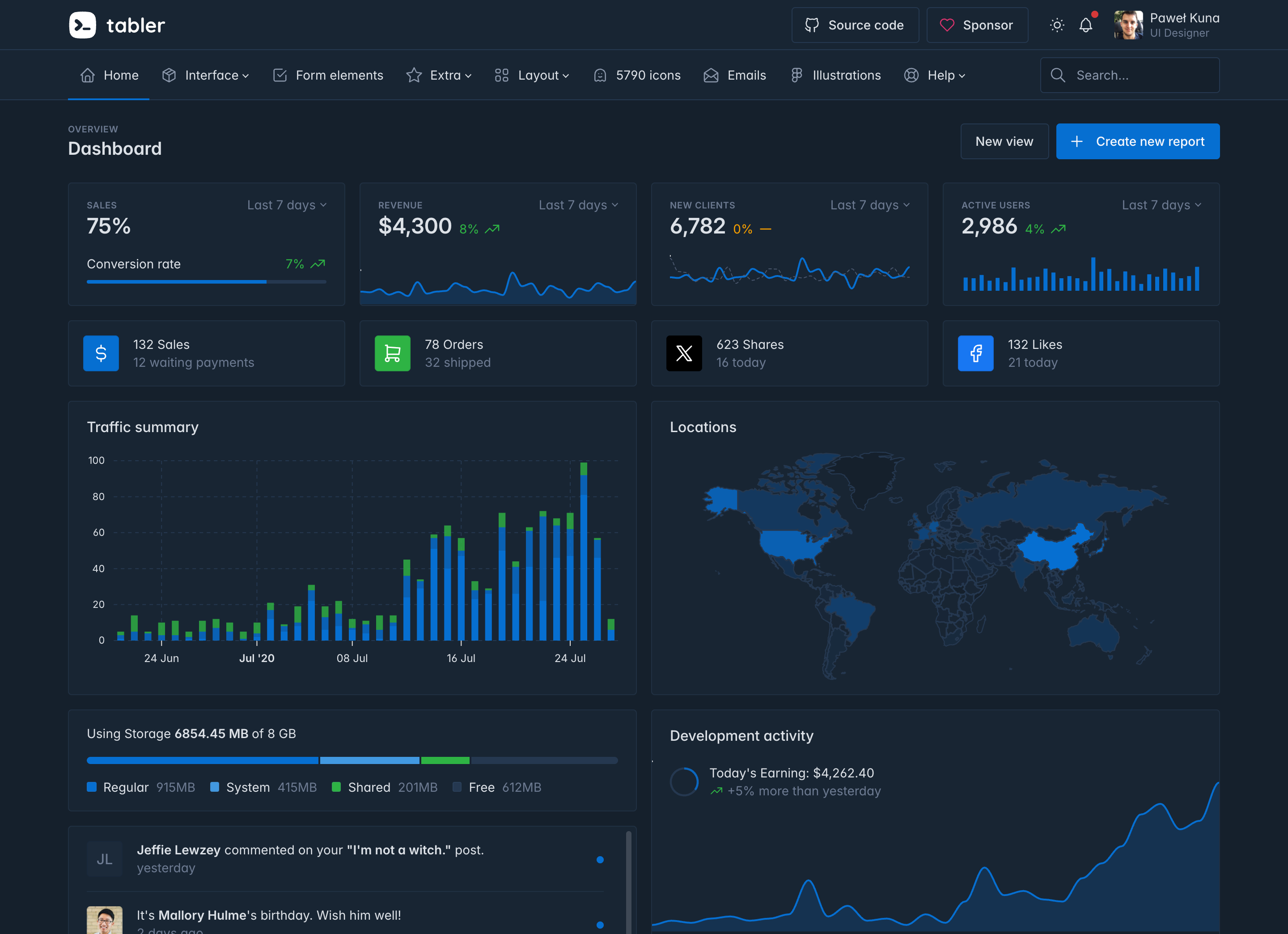
Set the --tblr-mockup-browser-* variables on the frame to change the colors, the shadow or the size of the dots. The three dots have their own color variables, --tblr-mockup-browser-control-color-1 to -3.
<div class="mockup-browser" style="--tblr-mockup-browser-toolbar-bg: var(--tblr-gray-900); --tblr-mockup-browser-toolbar-color: var(--tblr-gray-400); --tblr-mockup-browser-border-color: var(--tblr-gray-900); --tblr-mockup-browser-box-shadow: none">
  <div class="mockup-browser-toolbar">
    <span class="mockup-browser-controls"></span>
    <div class="mockup-browser-url">
      <!-- Download SVG icon from http://tabler.io/icons/icon/lock -->
      <svg xmlns="http://www.w3.org/2000/svg" width="24" height="24" viewBox="0 0 24 24" fill="none" stroke="currentColor" stroke-width="2" stroke-linecap="round" stroke-linejoin="round" aria-hidden="true" focusable="false" class="icon">
        <path d="M5 13a2 2 0 0 1 2 -2h10a2 2 0 0 1 2 2v6a2 2 0 0 1 -2 2h-10a2 2 0 0 1 -2 -2v-6" />
        <path d="M11 16a1 1 0 1 0 2 0a1 1 0 0 0 -2 0" />
        <path d="M8 11v-4a4 4 0 1 1 8 0v4" />
      </svg>
      <span>preview.tabler.io</span>
    </div>
  </div>
  <div class="mockup-browser-body">
    <img src="/static/tabler-preview-dark.png" srcset="/static/tabler-preview-dark.png 1x, /static/[email protected] 2x" alt="Tabler dashboard" />
  </div>
</div>
Accessibility
- The window dots are decoration. They are an empty element, so screen readers skip them.
- The address bar is plain text and is read as such. It is not a link and not a form field.
- Give a screenshot in the body an
alttext that says what page it shows.
Class reference
Every class this component ships, grouped by what it changes. A name in braces stands for a family — {color} is any base color, {breakpoint} any responsive step.
mockup-browser | component | The frame, with a border, rounded corners and a shadow |
mockup-browser-toolbar | part | The top bar with the window dots and the address bar |
mockup-browser-controls | part | The three window dots |
mockup-browser-url | part | The address, centered in the toolbar |
mockup-browser-body | part | The page area that holds the screenshot or the content |
mockup-browser-sm | size | A 24px toolbar with smaller dots and text, for thumbnails and cards |
CSS
Variables
The component uses local CSS variables
on .mockup-browser for real-time customization. Values for the CSS variables are set via Sass, so Sass customization is still supported, too. Source: core/scss/ui/_mockup-browser.scss.
--mockup-browser-bg: #{$mockup-browser-bg};
--mockup-browser-border-color: #{$mockup-browser-border-color};
--mockup-browser-border-radius: #{$mockup-browser-border-radius};
--mockup-browser-box-shadow: #{$mockup-browser-box-shadow};
--mockup-browser-toolbar-min-height: #{$mockup-browser-toolbar-min-height};
--mockup-browser-toolbar-padding-y: #{$mockup-browser-toolbar-padding-y};
--mockup-browser-toolbar-padding-x: #{$mockup-browser-toolbar-padding-x};
--mockup-browser-toolbar-color: #{$mockup-browser-toolbar-color};
--mockup-browser-toolbar-bg: #{$mockup-browser-toolbar-bg};
--mockup-browser-control-offset: #{$mockup-browser-control-offset};
--mockup-browser-control-size: #{$mockup-browser-control-size};
--mockup-browser-control-gap: #{$mockup-browser-control-gap};
--mockup-browser-control-color-1: #{list.nth($mockup-browser-control-colors, 1)};
--mockup-browser-control-color-2: #{list.nth($mockup-browser-control-colors, 2)};
--mockup-browser-control-color-3: #{list.nth($mockup-browser-control-colors, 3)};
--mockup-browser-url-font-size: #{$mockup-browser-url-font-size};
--mockup-browser-url-line-height: #{$mockup-browser-url-line-height};
--mockup-browser-url-icon-size: #{$mockup-browser-url-icon-size};
Sass variables
Override these variables before importing Tabler to change the defaults. Source: core/scss/_variables.scss.
$mockup-browser-bg: var(--bg-surface);
$mockup-browser-border-color: var(--border-light-color);
$mockup-browser-border-radius: var(--border-radius-lg);
$mockup-browser-box-shadow: var(--shadow-lg);
$mockup-browser-toolbar-min-height: 2rem;
$mockup-browser-toolbar-padding-y: 0.5rem;
$mockup-browser-toolbar-padding-x: 12.5%;
$mockup-browser-toolbar-color: var(--secondary);
$mockup-browser-toolbar-bg: var(--bg-surface-secondary);
$mockup-browser-control-offset: 1rem;
$mockup-browser-control-size: 0.75rem;
$mockup-browser-control-gap: 0.5rem;
$mockup-browser-control-colors: #ff5f57, #febc2e, #28c840;
$mockup-browser-url-font-size: $h5-font-size;
$mockup-browser-url-line-height: 1rem;
$mockup-browser-url-icon-size: 0.875rem;

$mockup-browser-sm-border-radius: var(--border-radius);
$mockup-browser-sm-toolbar-min-height: 1.5rem;
$mockup-browser-sm-toolbar-padding-y: 0.25rem;
$mockup-browser-sm-control-size: 0.5rem;
$mockup-browser-sm-control-gap: 0.25rem;
$mockup-browser-sm-url-font-size: $h6-font-size;
$mockup-browser-sm-url-icon-size: 0.75rem;
